
Solitaire Verse
Gimica GmbHCard
4.614.86K Reviews
- Version
- 1.17.1
- Installs
- 10.00M
- Age Rating
- Everyone
Screenshots
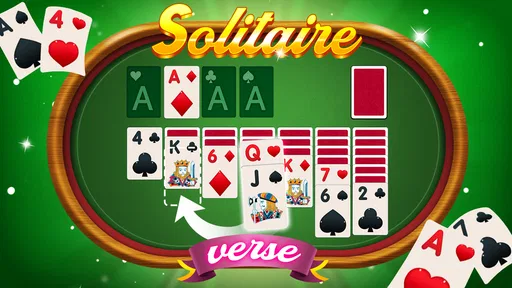
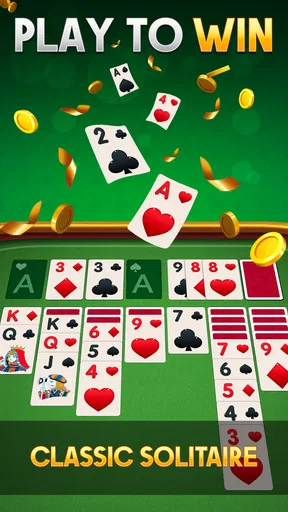
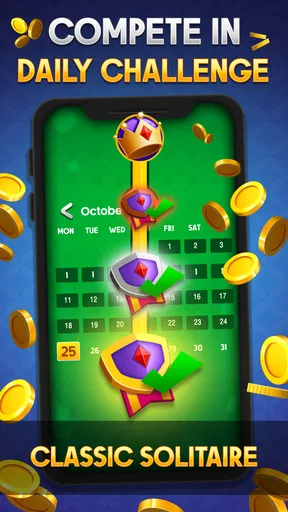
Our Review of Solitaire Verse
 Analysis by Appyee
I usually think of solitaire as a small, dependable break: a few minutes with a deck, no learning curve, and no need to coordinate with anyone else. That is the appeal of Solitaire Verse, a free card game from Gimica GmbH. It has a 4.5 average from around 304,000 ratings, so it has clearly found a sizeable audience, but its best fit is simpler than that popularity might suggest: someone who wants an easy way into a familiar card game.
Before settling in, I’d check that the device can run it. The listed minimum is Android 7.0, and the game is marked for Everyone. It was released on November 16, 2021, and its current version is 1.6.0. Those details help set expectations, but they do not guarantee that every older device will feel equally smooth. If installation or loading stalls, I would first check available storage, connection quality, and whether the operating system meets that minimum, then close and reopen the app before trying again.
Getting Started with Solitaire Verse
As soon as you fire up Solitaire Verse, you’re welcomed with a sleek and user-friendly interface. The developers definitely knew what they were doing, as the visuals are both engaging and intuitive. No more fumbling around trying to find where to start. From the get-go, it’s clear that this app is designed for quick access and endless fun.
The setup process is a breeze. After downloading the app from your respective app store, a couple of taps and you’re ready to dive into a universe filled with card-flipping action. What’s really cool is how the app doesn’t bombard you with unnecessary ads or requests for in-app purchases right off the bat. It’s all about letting you enjoy the game first and foremost.
A Universe of Solitaire Games
This isn’t just your grandparent’s Solitaire; Solitaire Verse offers an array of different versions of the classic game. From Klondike to Spider, and even some unique twists that I hadn’t seen before, there’s something for every card lover out there. The best part? Each game type comes with its own set of challenges and achievements that keep you coming back for more.
For those who love a good leaderboard, this app has got you covered. The competitive edge is real, and you’ll find yourself trying to beat not just your own high scores, but also those of players worldwide. The app cleverly integrates social features, allowing you to challenge friends or join global tournaments. It’s all about finding that sweet balance between strategy and speed.
The Visuals and Sounds
Now, let’s talk about the eye candy. The graphics in Solitaire Verse are nothing short of stunning. The developers have gone above and beyond to create a visually appealing experience. The backgrounds are dynamic, and while they don’t distract from the game, they add a nice touch of flair. Plus, you can customize your card decks and tables, which is a neat little feature for those who like their games a bit more personal.
Sound-wise, the app hits the right notes (pun intended). The background music is calming, almost like a gentle reminder that you’re here to relax and enjoy. The sound effects, from the shuffling of cards to the satisfying flip when you make a move, are spot on. It’s the little things that make the gaming experience feel polished and complete.
Why You Should Download It
If you’re still on the fence about downloading Solitaire Verse, let me give you the lowdown. It’s not just about playing Solitaire; it’s about experiencing it in a way that’s fresh and exciting. The app doesn’t just stick to the basics but expands on them, making sure there’s always something new to explore.
Whether you’re looking for a quick game during your lunch break or an intense session to unwind in the evening, this app caters to all. The ease of use, combined with its engaging gameplay and competitive elements, makes it a must-have for any card game enthusiast.
So, what are you waiting for? Jump into the world of Solitaire Verse and see for yourself why it’s quickly becoming a favorite among players. Trust me; you won’t regret it. Happy card playing!
When a quick game fits—and when it doesn’t
The strongest use case is an unplanned pause: waiting for a bus, sitting through a quiet stretch at home, or taking a short break between tasks. A familiar card layout gives you something to focus on without asking you to learn a complicated rule set first. I’d treat it as a casual companion rather than a game that demands a long, uninterrupted session; that makes it easier to enjoy whether you have a few minutes or feel like playing longer.
It is also a natural choice for people who like to switch between different kinds of solitaire instead of keeping several separate card-game apps installed. Klondike gives a familiar starting point, while Spider offers a different puzzle rhythm for a player who wants to think through sequences more deliberately. If you mainly want one specific ruleset with no interest in alternatives or competitive elements, a stripped-down solitaire app may suit you better.
For a practical routine, I’d begin with the version I already know rather than sampling every option at once. That makes it easier to judge whether the controls and pace feel comfortable. Once a familiar game becomes second nature, trying another mode is a useful change of pace. This is a small but worthwhile distinction: variety helps most when it gives you a fresh challenge, not when it turns a relaxing break into a hunt through menus.
Making play comfortable and recoverable
One thing I’d do early is adjust the visual presentation to suit how I actually hold the phone. Card games depend on reading ranks and suits at a glance, so a deck or table style that looks attractive but reduces contrast can make play tiring. The customization mentioned in the game is most useful when it improves legibility as well as appearance. I’d try a short round after changing a design choice before committing to it for a longer session.
If a move seems to leave you stuck, I’d pause before tapping repeatedly. Solitaire often reaches positions where the next useful move is not immediately obvious, and rapid taps can make it harder to see what changed. Scan the exposed cards and available sequences again, then decide whether the current deal still offers a route forward. This habit is useful in any version of the game and helps distinguish a difficult board from a control problem.
For interruptions, the safest approach is not to assume that a round will be preserved exactly as you left it. If you need to step away, finish a move first and return when you can give the board your attention. That is especially sensible during a competitive session, where losing focus can matter more than it does in a casual solo game. I wouldn’t start a tournament-style activity when I know I may have to put the phone down moments later.
What to check when something feels wrong
If the game freezes, takes unusually long to open, or stops responding to a tap, I’d start with ordinary device checks rather than assume the game itself is broken. Close it and reopen it, make sure the phone has some free storage, and check that the connection is working if you are trying to access an online feature. A restart can also clear a temporary problem. These steps are basic, but they are more useful than repeatedly pressing controls when the screen has stopped responding.
If the problem appears only during online competition or when comparing scores, a weak or interrupted connection is a reasonable first suspect. I’d test a normal solo round to see whether card movement works as expected, then try the connected activity again once the connection is stable. If solo play also behaves badly, checking for an app update and restarting the device are sensible next steps. I would avoid uninstalling immediately if I care about the current state of a game, since I would first want to know whether anything is saved locally or connected to an account.
Battery-saving settings and a busy device can also affect how responsive any mobile game feels. If animations stutter, I’d close other demanding apps and try again before deciding that the card game is at fault. Likewise, sound that is missing or too quiet may come down to the phone’s media volume or silent settings rather than the game. A quick check of those controls can save needless troubleshooting.
How it compares with other ways to play solitaire
Compared with a basic solitaire app that focuses on one familiar board, this game’s appeal is breadth: the original article describes several versions, customization, and competitive play. That variety is useful if you want to alternate between a relaxed solo round and a more goal-oriented session. The trade-off is that a player who only wants a bare table and cards may find the extra presentation and social layer unnecessary.
Compared with a physical deck, a phone makes it easy to start and reset a game without arranging cards, but it cannot replace the tactile feel or the social experience of playing across a table. Compared with a puzzle game built around levels and elaborate mechanics, solitaire is more flexible about how long you play and how much attention you give it. I’d choose this for a familiar, self-paced diversion; I’d choose a more structured puzzle game when I want a clear sequence of goals or a stronger sense of progression.
The competitive side can add motivation, but it changes the mood. Trying to improve a score or keep up with other players can make a session feel lively; it can also make a game that is usually calming feel like another task to optimize. I’d use those elements when I’m in the mood for a challenge and ignore them when I simply want a quiet card break. The option to play for relaxation is the main reason solitaire remains appealing to me.
Who is likely to enjoy it
I’d recommend it to people who already enjoy card games, newcomers who want a familiar starting point, and players who appreciate having more than one solitaire style available. It also suits someone who wants a casual game that can fit around everyday interruptions, provided they are comfortable playing on a phone screen. The Everyone age rating makes its intended audience broad, although younger players may still benefit from guidance around online interactions and device use.
I would skip it if I dislike mobile interfaces, want a purely offline experience as a firm requirement, or find scores and social competition distracting. I’d also look elsewhere if my main priority were deep strategy, a story, or a progression system that provides a substantial long-term goal. Solitaire can create satisfying decisions, but its appeal comes from repeating a clear card puzzle, not from the breadth of a larger strategy game.
A practical verdict
With more than 5 million installs, Solitaire Verse has reached plenty of players, but I wouldn’t take popularity alone as a reason to choose it. The useful question is whether its mix of familiar solitaire, alternate versions, presentation choices, and competitive options matches the way you like to spend a break. The game is free, which makes it easy to try, while the 4.5 average rating and roughly 13,000 written reviews give a reader some context about its reception without guaranteeing that every part will suit them.
My recommendation is to start with one familiar round, check that the cards are comfortable to read, and decide whether the additional modes make you curious or just add clutter. If you enjoy switching between solitaire styles and sometimes want a score or social challenge to aim for, it has a clear case. If you want nothing beyond a plain, quiet game of cards, a simpler alternative may be a better fit. For an accessible card break with room to vary the routine, I think this is a sensible one to try.
Privacy and Permissions
See what permissions an app requests and how it handles your data.
- Photos/Media/Files
- read the contents of your USB storage
- Storage
- read the contents of your USB storage
- Wi-Fi connection information
- view Wi-Fi connections
- Other
- view network connections, full network access, read terms you added to the dictionary, control vibration, prevent device from sleeping, Google Play license check
Verdict
Strengths of Solitaire Verse
- Smooth and intuitive user interface.
- Variety of solitaire game modes.
- Offline play available.
- Daily challenges with rewards.
- Customizable themes and decks.
Limitations of Solitaire Verse
- Contains in-app purchases.
- Occasional ads disrupt gameplay.
- Limited multiplayer features.
- Requires frequent updates.
- No cloud save option.
Other Releases by Gimica GmbH
View All


Similar Picks in This Category
View All
Solitaire - Classic Card Games
MobilityWare4.6

UNO!™
Mattel163 Limited4.3

Spider Solitaire: Card Games
MobilityWare4.6

Solitaire.com - Classic Cards
Tripledot Studios Limited4.7

Plants vs. Zombies™ Heroes
ELECTRONIC ARTS4.1

Hearthstone
Blizzard Entertainment, Inc.4.1
Frequently Asked Questions
What is Solitaire Verse and what makes it unique?
Solitaire Verse is a modern twist on the classic card game, featuring a variety of modes and challenges that keep gameplay fresh and exciting. Its unique aspect lies in its vibrant graphics and engaging storylines, which offer players a more immersive experience compared to traditional solitaire games.
Is Solitaire Verse available for both Android and iOS?
Yes, Solitaire Verse is available on both Android and iOS platforms. You can download it from the Google Play Store for Android devices and the App Store for iOS devices. This ensures a seamless gaming experience regardless of your device preference.
Does Solitaire Verse require an internet connection to play?
Solitaire Verse does not require a constant internet connection to play. However, certain features such as leaderboards, daily challenges, and updates may need connectivity. This offline capability makes it convenient for users who want to enjoy the game without worrying about data usage.
Are there in-app purchases in Solitaire Verse?
Yes, Solitaire Verse includes in-app purchases. These purchases can enhance the gaming experience by unlocking special items, themes, and power-ups. While the core game is free, these optional purchases can add variety and convenience for players who wish to progress faster.
How does Solitaire Verse handle user data and privacy?
Solitaire Verse is committed to user privacy and follows strict data protection protocols. It collects minimal data necessary for gameplay and does not share personal information with third parties without consent. Users can review the privacy policy within the app for more detailed information on data handling.
Play our best games!


